Colord is a tiny yet powerful tool for high-performance color manipulations and conversions.
## Features
- 📦 **Small**: Just **1.8 KB** brotlied ([4x+ lighter](#benchmarks) than **color**)
- 🚀 **Fast**: [5.5x+ faster](#benchmarks) than **color**
- 😍 **Simple**: Chainable API and familiar patterns
- 💪 **Immutable**: No need to worry about data mutations
- 🛡 **Bulletproof**: Written in strict TypeScript and has 100% test coverage
- 🗂 **Typed**: Ships with [types included](#types)
- 🏗 **Extendable**: Built-in [plugin system](#plugins) to add new functionality
- 📚 **CSS-compliant**: Strictly follows CSS Color Level specifications
- 👫 **Works everywhere**: Supports all browsers and Node.js
- 💨 **Dependency-free**
## Benchmarks
| Library | Operations/sec | Size
(minified) | Size
(brotlied) | Type declarations |
| ---------------------------- | ----------------------------- | --------------------- | --------------------- | -------------------------------------------------------------------------------------------------------- |
| colord 👑 | 4,740,298 | 5.81 kB | 1.80 kB | [](https://npmjs.com/package/colord) |
| color | 815,693 | 24 kB | 7.52 kB | [](https://npmjs.com/package/color) |
| tinycolor2 | 1,012,855 | 15.23 kB | 4.67 kB | [](https://npmjs.com/package/tinycolor2) |
| ac-colors | 973,255 | 10.18 kB | 2.96 kB | [](https://npmjs.com/package/ac-colors) |
| chroma-js | 951,018 | 42.47 kB | 14.89 kB | [](https://npmjs.com/package/chroma-js) |
Measured by the [Benchmark workflow](https://github.com/omgovich/colord/actions/workflows/benchmark.yml) on a standard GitHub-hosted runner (Ubuntu 24.04, 4 vCPU, Node 22). Ops/sec depend on the machine, so read the ratios rather than the absolute numbers. Bundle sizes come from [size-limit](https://github.com/ai/size-limit), importing each library's main export so unused code is tree-shaken away, the same way `npm run size` measures colord.
## Who Uses Colord
| Project | What it is | Reach |
| ------------------------------------------------------- | ------------------------------------------------------------- | --------------------------------- |
| **[GitLab](https://gitlab.com/gitlab-org/gitlab)** | DevSecOps for the entire software lifecycle | 50M+ users |
| **[WordPress](https://github.com/WordPress/gutenberg)** | Gutenberg, the editor inside every WordPress site | 40% of all websites |
| **[Stylelint](https://github.com/stylelint/stylelint)** | A mighty CSS linter | 44M downloads/month |
| **[cssnano](https://github.com/cssnano/cssnano)** | The CSS minifier of the PostCSS world (up to v6) | 48M downloads/month |
| **[pdf.net](https://pdf.net/)** | Everything you can do to a PDF, in the browser | 4M+ users |
| **[Gitea](https://github.com/go-gitea/gitea)** | Self-hosted all-in-one software development service | 57.5k ⭐ |
| **[PixiJS](https://github.com/pixijs/pixijs)** | The fastest, most flexible 2D WebGL renderer | 48k ⭐ |
| **[Umami](https://github.com/umami-software/umami)** | Analytics without the surveillance | 38k ⭐ |
| **[Documenso](https://github.com/documenso/documenso)** | The open source DocuSign | 14.6k ⭐ |
| **[Leva](https://github.com/pmndrs/leva)** | React-first GUI panel for live tweaking | 3.5M downloads/month |
...and [9.5 million more repositories](https://github.com/omgovich/colord/network/dependents) 🤯
## Getting Started
```
npm i colord
```
```js
import { colord } from "colord";
colord("#ff0000").grayscale().alpha(0.25).toRgbString(); // "rgba(128, 128, 128, 0.25)"
colord("rgb(192, 192, 192)").isLight(); // true
colord("hsl(0, 50%, 50%)").darken(0.25).toHex(); // "#602020"
```
## Supported Color Models
- Hexadecimal strings (including 3, 4 and 8 digit notations)
- RGB strings and objects
- HSL strings and objects
- HSV objects
- Color names ([via plugin](#plugins))
- HWB objects and strings ([via plugin](#plugins))
- CMYK objects and strings ([via plugin](#plugins))
- LCH objects and strings ([via plugin](#plugins))
- LAB objects ([via plugin](#plugins))
- XYZ objects ([via plugin](#plugins))
## API
### Color parsing
colord(input)
Parses the given input and creates a new Colord instance. String parsing strictly conforms to [CSS Color Level Specifications](https://www.w3.org/TR/css-color-4/#color-type).
```js
import { colord } from "colord";
// String input examples
colord("#FFF");
colord("#ffffff");
colord("#ffffffff");
colord("rgb(255, 255, 255)");
colord("rgba(255, 255, 255, 0.5)");
colord("rgba(100% 100% 100% / 50%)");
colord("hsl(90, 100%, 100%)");
colord("hsla(90, 100%, 100%, 0.5)");
colord("hsla(90deg 100% 100% / 50%)");
colord("tomato"); // requires "names" plugin
// Object input examples
colord({ r: 255, g: 255, b: 255 });
colord({ r: 255, g: 255, b: 255, a: 1 });
colord({ h: 360, s: 100, l: 100 });
colord({ h: 360, s: 100, l: 100, a: 1 });
colord({ h: 360, s: 100, v: 100 });
colord({ h: 360, s: 100, v: 100, a: 1 });
```
Check out the ["Plugins"](#plugins) section for more input format examples.
getFormat(input)
Returns a color model name for the input passed to the function. Uses the same parsing system as `colord` function.
```js
import { getFormat } from "colord";
getFormat("#aabbcc"); // "hex"
getFormat({ r: 13, g: 237, b: 162, a: 0.5 }); // "rgb"
getFormat("hsl(180deg, 50%, 50%)"); // "hsl"
getFormat("WUT?"); // undefined
```
### Color conversion
.toHex()
Returns the [hexadecimal representation](https://developer.mozilla.org/en-US/docs/Web/CSS/color_value#rgb_colors) of a color. When the alpha channel value of the color is less than 1, it outputs `#rrggbbaa` format instead of `#rrggbb`.
```js
colord("rgb(0, 255, 0)").toHex(); // "#00ff00"
colord({ h: 300, s: 100, l: 50 }).toHex(); // "#ff00ff"
colord({ r: 255, g: 255, b: 255, a: 0 }).toHex(); // "#ffffff00"
```
.toRgb()
```js
colord("#ff0000").toRgb(); // { r: 255, g: 0, b: 0, a: 1 }
colord({ h: 180, s: 100, l: 50, a: 0.5 }).toRgb(); // { r: 0, g: 255, b: 255, a: 0.5 }
```
.toRgbString()
```js
colord("#ff0000").toRgbString(); // "rgb(255, 0, 0)"
colord({ h: 180, s: 100, l: 50, a: 0.5 }).toRgbString(); // "rgba(0, 255, 255, 0.5)"
```
.toHsl()
Converts a color to [HSL color space](https://en.wikipedia.org/wiki/HSL_and_HSV) and returns an object.
```js
colord("#ffff00").toHsl(); // { h: 60, s: 100, l: 50, a: 1 }
colord("rgba(0, 0, 255, 0.5) ").toHsl(); // { h: 240, s: 100, l: 50, a: 0.5 }
```
.toHslString()
Converts a color to [HSL color space](https://en.wikipedia.org/wiki/HSL_and_HSV) and expresses it through the [functional notation](https://developer.mozilla.org/en-US/docs/Web/CSS/color_value#hsl_colors).
```js
colord("#ffff00").toHslString(); // "hsl(60, 100%, 50%)"
colord("rgba(0, 0, 255, 0.5)").toHslString(); // "hsla(240, 100%, 50%, 0.5)"
```
.toHsv()
Converts a color to [HSV color space](https://en.wikipedia.org/wiki/HSL_and_HSV) and returns an object.
```js
colord("#ffff00").toHsv(); // { h: 60, s: 100, v: 100, a: 1 }
colord("rgba(0, 255, 255, 0.5) ").toHsv(); // { h: 180, s: 100, v: 100, a: 1 }
```
.toName(options?) (names plugin)
Converts a color to a [CSS keyword](https://developer.mozilla.org/en-US/docs/Web/CSS/color_value#color_keywords). Returns `undefined` if the color is not specified in the specs.
```js
import { colord, extend } from "colord";
import namesPlugin from "colord/plugins/names";
extend([namesPlugin]);
colord("#ff6347").toName(); // "tomato"
colord("#00ffff").toName(); // "cyan"
colord("rgba(0, 0, 0, 0)").toName(); // "transparent"
colord("#fe0000").toName(); // undefined (the color is not specified in CSS specs)
colord("#fe0000").toName({ closest: true }); // "red" (closest color available)
```
.toCmyk() (cmyk plugin)
Converts a color to [CMYK](https://en.wikipedia.org/wiki/CMYK_color_model) color space.
```js
import { colord, extend } from "colord";
import cmykPlugin from "colord/plugins/cmyk";
extend([cmykPlugin]);
colord("#ffffff").toCmyk(); // { c: 0, m: 0, y: 0, k: 0, a: 1 }
colord("#555aaa").toCmyk(); // { c: 50, m: 47, y: 0, k: 33, a: 1 }
```
.toCmykString() (cmyk plugin)
Converts a color to color space.
Converts a color to [CMYK](https://en.wikipedia.org/wiki/CMYK_color_model) color space and expresses it through the [functional notation](https://www.w3.org/TR/css-color-4/#device-cmyk)
```js
import { colord, extend } from "colord";
import cmykPlugin from "colord/plugins/cmyk";
extend([cmykPlugin]);
colord("#99ffff").toCmykString(); // "device-cmyk(40% 0% 0% 0%)"
colord("#00336680").toCmykString(); // "device-cmyk(100% 50% 0% 60% / 0.5)"
```
.toHwb() (hwb plugin)
Converts a color to [HWB (Hue-Whiteness-Blackness)](https://en.wikipedia.org/wiki/HWB_color_model) color space.
```js
import { colord, extend } from "colord";
import hwbPlugin from "colord/plugins/hwb";
extend([hwbPlugin]);
colord("#ffffff").toHwb(); // { h: 0, w: 100, b: 0, a: 1 }
colord("#555aaa").toHwb(); // { h: 236, w: 33, b: 33, a: 1 }
```
.toHwbString() (hwb plugin)
Converts a color to [HWB (Hue-Whiteness-Blackness)](https://en.wikipedia.org/wiki/HWB_color_model) color space and expresses it through the [functional notation](https://www.w3.org/TR/css-color-4/#the-hwb-notation).
```js
import { colord, extend } from "colord";
import hwbPlugin from "colord/plugins/hwb";
extend([hwbPlugin]);
colord("#999966").toHwbString(); // "hwb(60 40% 40%)"
colord("#99ffff").toHwbString(); // "hwb(180 60% 0%)"
colord("#003366").alpha(0.5).toHwbString(); // "hwb(210 0% 60% / 0.5)"
```
.toLab() (lab plugin)
Converts a color to [CIE LAB](https://en.wikipedia.org/wiki/CIELAB_color_space) color space. The conversion logic is ported from [CSS Color Module Level 4 Specification](https://www.w3.org/TR/css-color-4/#color-conversion-code).
```js
import { colord, extend } from "colord";
import labPlugin from "colord/plugins/lab";
extend([labPlugin]);
colord("#ffffff").toLab(); // { l: 100, a: 0, b: 0, alpha: 1 }
colord("#33221180").toLab(); // { l: 14.89, a: 5.77, b: 14.41, alpha: 0.5 }
```
.toLch() (lch plugin)
Converts a color to [CIE LCH](https://lea.verou.me/2020/04/lch-colors-in-css-what-why-and-how/) color space. The conversion logic is ported from [CSS Color Module Level 4 Specification](https://www.w3.org/TR/css-color-4/#color-conversion-code).
```js
import { colord, extend } from "colord";
import lchPlugin from "colord/plugins/lch";
extend([lchPlugin]);
colord("#ffffff").toLch(); // { l: 100, c: 0, h: 0, a: 1 }
colord("#213b0b").toLch(); // { l: 21.85, c: 31.95, h: 127.77, a: 1 }
```
.toLchString() (lch plugin)
Converts a color to [CIE LCH](https://lea.verou.me/2020/04/lch-colors-in-css-what-why-and-how/) color space and expresses it through the [functional notation](https://www.w3.org/TR/css-color-4/#specifying-lab-lch).
```js
import { colord, extend } from "colord";
import lchPlugin from "colord/plugins/lch";
extend([lchPlugin]);
colord("#ffffff").toLchString(); // "lch(100% 0 0)"
colord("#213b0b").alpha(0.5).toLchString(); // "lch(21.85% 31.95 127.77 / 0.5)"
```
.toXyz() (xyz plugin)
Converts a color to [CIE XYZ](https://www.sttmedia.com/colormodel-xyz) color space. The conversion logic is ported from [CSS Color Module Level 4 Specification](https://www.w3.org/TR/css-color-4/#color-conversion-code).
```js
import { colord, extend } from "colord";
import xyzPlugin from "colord/plugins/xyz";
extend([xyzPlugin]);
colord("#ffffff").toXyz(); // { x: 95.047, y: 100, z: 108.883, a: 1 }
```
### Color manipulation
.alpha(value)
Changes the alpha channel value and returns a new `Colord` instance.
```js
colord("rgb(0, 0, 0)").alpha(0.5).toRgbString(); // "rgba(0, 0, 0, 0.5)"
```
.invert()
Creates a new `Colord` instance containing an inverted (opposite) version of the color.
```js
colord("#ffffff").invert().toHex(); // "#000000"
colord("#aabbcc").invert().toHex(); // "#554433"
```
.saturate(amount = 0.1)
Increases the [HSL saturation](https://en.wikipedia.org/wiki/HSL_and_HSV) of a color by the given amount.
```js
colord("#bf4040").saturate(0.25).toHex(); // "#df2020"
colord("hsl(0, 50%, 50%)").saturate(0.5).toHslString(); // "hsl(0, 100%, 50%)"
```
.desaturate(amount = 0.1)
Decreases the [HSL saturation](https://en.wikipedia.org/wiki/HSL_and_HSV) of a color by the given amount.
```js
colord("#df2020").desaturate(0.25).toHex(); // "#bf4040"
colord("hsl(0, 100%, 50%)").desaturate(0.5).toHslString(); // "hsl(0, 50%, 50%)"
```
.grayscale()
Makes a gray color with the same lightness as a source color. Same as calling `desaturate(1)`.
```js
colord("#bf4040").grayscale().toHex(); // "#808080"
colord("hsl(0, 100%, 50%)").grayscale().toHslString(); // "hsl(0, 0%, 50%)"
```
.lighten(amount = 0.1)
Increases the [HSL lightness](https://en.wikipedia.org/wiki/HSL_and_HSV) of a color by the given amount.
```js
colord("#000000").lighten(0.5).toHex(); // "#808080"
colord("#223344").lighten(0.3).toHex(); // "#5580aa"
colord("hsl(0, 50%, 50%)").lighten(0.5).toHslString(); // "hsl(0, 50%, 100%)"
```
.darken(amount = 0.1)
Decreases the [HSL lightness](https://en.wikipedia.org/wiki/HSL_and_HSV) of a color by the given amount.
```js
colord("#ffffff").darken(0.5).toHex(); // "#808080"
colord("#5580aa").darken(0.3).toHex(); // "#223344"
colord("hsl(0, 50%, 100%)").lighten(0.5).toHslString(); // "hsl(0, 50%, 50%)"
```
.hue(value)
Changes the hue value and returns a new `Colord` instance.
```js
colord("hsl(90, 50%, 50%)").hue(180).toHslString(); // "hsl(180, 50%, 50%)"
colord("hsl(90, 50%, 50%)").hue(370).toHslString(); // "hsl(10, 50%, 50%)"
```
.rotate(amount = 15)
Increases the [HSL](https://en.wikipedia.org/wiki/HSL_and_HSV) hue value of a color by the given amount.
```js
colord("hsl(90, 50%, 50%)").rotate(90).toHslString(); // "hsl(180, 50%, 50%)"
colord("hsl(90, 50%, 50%)").rotate(-180).toHslString(); // "hsl(270, 50%, 50%)"
```
.mix(color2, ratio = 0.5, space = "lab") (mix plugin)
Produces a mixture of two colors and returns the result of mixing them (new Colord instance).
In contrast to other libraries that perform RGB values mixing, Colord mixes colors through [LAB color space](https://en.wikipedia.org/wiki/CIELAB_color_space) by default. This approach produces better results and doesn't have the drawbacks the legacy way has.
Pass `"rgb"` as the third argument to interpolate RGB channels instead. This mode matches the way browsers and design tools (such as Figma) composite translucent layers: mixing a background with an overlay color at the overlay's opacity gives the same result as alpha compositing.
→ [Online demo](https://3cg7o.csb.app/)
```js
import { colord, extend } from "colord";
import mixPlugin from "colord/plugins/mix";
extend([mixPlugin]);
colord("#ffffff").mix("#000000").toHex(); // "#777777"
colord("#800080").mix("#dda0dd").toHex(); // "#af5cae"
colord("#cd853f").mix("#eee8aa", 0.6).toHex(); // "#e3c07e"
colord("#008080").mix("#808000", 0.35).toHex(); // "#50805d"
// RGB interpolation (matches alpha compositing in browsers and design tools)
colord("#ff0000").mix("#ffffff", 0.5, "rgb").toHex(); // "#ff8080"
colord("#f0f3f1").mix("#007d40", 0.14, "rgb").toHex(); // "#cee2d8"
```
.tints(count = 5, space = "lab") (mix plugin)
Provides functionality to generate [tints](https://en.wikipedia.org/wiki/Tints_and_shades) of a color. Returns an array of `Colord` instances, including the original color. Mixes through LAB color space by default; pass `"rgb"` to interpolate RGB channels instead.
```js
import { colord, extend } from "colord";
import mixPlugin from "colord/plugins/mix";
extend([mixPlugin]);
const color = colord("#ff0000");
color.tints(3).map((c) => c.toHex()); // ["#ff0000", "#ff9f80", "#ffffff"];
```
.shades(count = 5, space = "lab") (mix plugin)
Provides functionality to generate [shades](https://en.wikipedia.org/wiki/Tints_and_shades) of a color. Returns an array of `Colord` instances, including the original color. Mixes through LAB color space by default; pass `"rgb"` to interpolate RGB channels instead.
```js
import { colord, extend } from "colord";
import mixPlugin from "colord/plugins/mix";
extend([mixPlugin]);
const color = colord("#ff0000");
color.shades(3).map((c) => c.toHex()); // ["#ff0000", "#7a1b0b", "#000000"];
```
.tones(count = 5, space = "lab") (mix plugin)
Provides functionality to generate [tones](https://en.wikipedia.org/wiki/Tints_and_shades) of a color. Returns an array of `Colord` instances, including the original color. Mixes through LAB color space by default; pass `"rgb"` to interpolate RGB channels instead.
```js
import { colord, extend } from "colord";
import mixPlugin from "colord/plugins/mix";
extend([mixPlugin]);
const color = colord("#ff0000");
color.tones(3).map((c) => c.toHex()); // ["#ff0000", "#c86147", "#808080"];
```
.harmonies(type = "complementary") (harmonies plugin)
Provides functionality to generate [harmony colors](). Returns an array of `Colord` instances.
```js
import { colord, extend } from "colord";
import harmoniesPlugin from "colord/plugins/harmonies";
extend([harmoniesPlugin]);
const color = colord("#ff0000");
color.harmonies("analogous").map((c) => c.toHex()); // ["#ff0080", "#ff0000", "#ff8000"]
color.harmonies("complementary").map((c) => c.toHex()); // ["#ff0000", "#00ffff"]
color.harmonies("double-split-complementary").map((c) => c.toHex()); // ["#ff0080", "#ff0000", "#ff8000", "#00ff80", "#0080ff"]
color.harmonies("rectangle").map((c) => c.toHex()); // ["#ff0000", "#ffff00", "#00ffff", "#0000ff"]
color.harmonies("split-complementary").map((c) => c.toHex()); // ["#ff0000", "#00ff80", "#0080ff"]
color.harmonies("tetradic").map((c) => c.toHex()); // ["#ff0000", "#80ff00", "#00ffff", "#8000ff"]
color.harmonies("triadic").map((c) => c.toHex()); // ["#ff0000", "#00ff00", "#0000ff"]
```
### Color analysis
.isValid()
Returns a boolean indicating whether or not an input has been parsed successfully.
Note: If parsing is unsuccessful, Colord defaults to black (does not throws an error).
```js
colord("#ffffff").isValid(); // true
colord("#wwuutt").isValid(); // false
colord("abracadabra").isValid(); // false
colord({ r: 0, g: 0, b: 0 }).isValid(); // true
colord({ r: 0, g: 0, v: 0 }).isValid(); // false
```
.isEqual(color2)
Determines whether two values are the same color.
```js
colord("#000000").isEqual("rgb(0, 0, 0)"); // true
colord("#000000").isEqual("rgb(255, 255, 255)"); // false
```
.alpha()
```js
colord("#ffffff").alpha(); // 1
colord("rgba(50, 100, 150, 0.5)").alpha(); // 0.5
```
.hue()
```js
colord("hsl(90, 50%, 50%)").hue(); // 90
colord("hsl(-10, 50%, 50%)").hue(); // 350
```
.brightness()
Returns the brightness of a color (from 0 to 1). The calculation logic is modified from [Web Content Accessibility Guidelines](https://www.w3.org/TR/AERT/#color-contrast).
```js
colord("#000000").brightness(); // 0
colord("#808080").brightness(); // 0.5
colord("#ffffff").brightness(); // 1
```
.isLight()
Same as calling `brightness() >= 0.5`.
```js
colord("#111111").isLight(); // false
colord("#aabbcc").isLight(); // true
colord("#ffffff").isLight(); // true
```
.isDark()
Same as calling `brightness() < 0.5`.
```js
colord("#111111").isDark(); // true
colord("#aabbcc").isDark(); // false
colord("#ffffff").isDark(); // false
```
.luminance() (a11y plugin)
Returns the relative luminance of a color, normalized to 0 for darkest black and 1 for lightest white as defined by [WCAG 2.0](https://www.w3.org/TR/WCAG20/#relativeluminancedef).
```js
colord("#000000").luminance(); // 0
colord("#808080").luminance(); // 0.22
colord("#ccddee").luminance(); // 0.71
colord("#ffffff").luminance(); // 1
```
.contrast(color2 = "#FFF") (a11y plugin)
Calculates a contrast ratio for a color pair. This luminance difference is expressed as a ratio ranging from 1 (e.g. white on white) to 21 (e.g., black on a white). [WCAG Accessibility Level AA requires](https://webaim.org/articles/contrast/) a ratio of at least 4.5 for normal text and 3 for large text.
```js
colord("#000000").contrast(); // 21 (black on white)
colord("#ffffff").contrast("#000000"); // 21 (white on black)
colord("#777777").contrast(); // 4.47 (gray on white)
colord("#ff0000").contrast(); // 3.99 (red on white)
colord("#0000ff").contrast("#ff000"); // 2.14 (blue on red)
```
.isReadable(color2 = "#FFF", options?) (a11y plugin)
Checks that a background and text color pair is readable according to [WCAG 2.0 Contrast and Color Requirements](https://webaim.org/articles/contrast/).
```js
colord("#000000").isReadable(); // true (normal black text on white bg conforms to WCAG AA)
colord("#777777").isReadable(); // false (normal gray text on white bg conforms to WCAG AA)
colord("#ffffff").isReadable("#000000"); // true (normal white text on black bg conforms to WCAG AA)
colord("#e60000").isReadable("#ffff47"); // true (normal red text on yellow bg conforms to WCAG AA)
colord("#e60000").isReadable("#ffff47", { level: "AAA" }); // false (normal red text on yellow bg does not conform to WCAG AAA)
colord("#e60000").isReadable("#ffff47", { level: "AAA", size: "large" }); // true (large red text on yellow bg conforms to WCAG AAA)
```
.delta(color2 = "#FFF") (lab plugin)
Calculates the perceived color difference between two colors.
The difference calculated according to [Delta E2000](https://en.wikipedia.org/wiki/Color_difference#CIEDE2000).
The return value is `0` if the colors are equal, `1` if they are entirely different.
```js
colord("#3296fa").delta("#197dc8"); // 0.099
colord("#faf0c8").delta("#ffffff"); // 0.148
colord("#afafaf").delta("#b4b4b4"); // 0.014
colord("#000000").delta("#ffffff"); // 1
```
### Color utilities
random()
Returns a new Colord instance with a random color value inside.
```js
import { random } from "colord";
random().toHex(); // "#01c8ec"
random().alpha(0.5).toRgb(); // { r: 13, g: 237, b: 162, a: 0.5 }
```
.minify(options?)
Converts a color to its shortest string representation.
```js
import { colord, extend } from "colord";
import minifyPlugin from "colord/plugins/minify";
extend([minifyPlugin]);
colord("black").minify(); // "#000"
colord("#112233").minify(); // "#123"
colord("darkgray").minify(); // "#a9a9a9"
colord("rgba(170,170,170,0.4)").minify(); // "hsla(0,0%,67%,.4)"
colord("rgba(170,170,170,0.4)").minify({ alphaHex: true }); // "#aaa6"
```
| Option | Default | Description |
| ------------- | ------- | ------------------------------------------------------------ |
| `hex` | `true` | Enable `#rrggbb` and `#rgb` notations |
| `alphaHex` | `false` | Enable `#rrggbbaa` and `#rgba` notations |
| `rgb` | `true` | Enable `rgb()` and `rgba()` functional notations |
| `hsl` | `true` | Enable `hsl()` and `hsla()` functional notations |
| `name` | `false` | Enable CSS color keywords. Requires `names` plugin installed |
| `transparent` | `false` | Enable `"transparent"` color keyword |

a11y (Accessibility) 0.38 KB
Adds accessibility and color contrast utilities working according to [Web Content Accessibility Guidelines 2.0](https://www.w3.org/TR/WCAG20/).
```js
import { colord, extend } from "colord";
import a11yPlugin from "colord/plugins/a11y";
extend([a11yPlugin]);
colord("#000000").luminance(); // 0
colord("#ccddee").luminance(); // 0.71
colord("#ffffff").luminance(); // 1
colord("#000000").contrast(); // 21 (black on white)
colord("#ffffff").contrast("#000000"); // 21 (white on black)
colord("#0000ff").contrast("#ff000"); // 2.14 (blue on red)
colord("#000000").isReadable(); // true (black on white)
colord("#ffffff").isReadable("#000000"); // true (white on black)
colord("#777777").isReadable(); // false (gray on white)
colord("#e60000").isReadable("#ffff47"); // true (normal red text on yellow bg conforms to WCAG AA)
colord("#e60000").isReadable("#ffff47", { level: "AAA" }); // false (normal red text on yellow bg does not conform to WCAG AAA)
colord("#e60000").isReadable("#ffff47", { level: "AAA", size: "large" }); // true (large red text on yellow bg conforms to WCAG AAA)
```
cmyk (CMYK color space) 0.6 KB
Adds support of [CMYK](https://www.sttmedia.com/colormodel-cmyk) color model.
```js
import { colord, extend } from "colord";
import cmykPlugin from "colord/plugins/cmyk";
extend([cmykPlugin]);
colord("#ffffff").toCmyk(); // { c: 0, m: 0, y: 0, k: 0, a: 1 }
colord("#999966").toCmykString(); // "device-cmyk(0% 0% 33% 40%)"
colord({ c: 0, m: 0, y: 0, k: 100, a: 1 }).toHex(); // "#000000"
colord("device-cmyk(0% 61% 72% 0% / 50%)").toHex(); // "#ff634780"
```
harmonies (Color harmonies) 0.15 KB
Provides functionality to generate [harmony colors]().
```js
import { colord, extend } from "colord";
import harmonies from "colord/plugins/harmonies";
extend([harmonies]);
const color = colord("#ff0000");
color.harmonies("analogous").map((c) => c.toHex()); // ["#ff0080", "#ff0000", "#ff8000"]
color.harmonies("complementary").map((c) => c.toHex()); // ["#ff0000", "#00ffff"]
color.harmonies("double-split-complementary").map((c) => c.toHex()); // ["#ff0080", "#ff0000", "#ff8000", "#00ff80", "#0080ff"]
color.harmonies("rectangle").map((c) => c.toHex()); // ["#ff0000", "#ffff00", "#00ffff", "#0000ff"]
color.harmonies("split-complementary").map((c) => c.toHex()); // ["#ff0000", "#00ff80", "#0080ff"]
color.harmonies("tetradic").map((c) => c.toHex()); // ["#ff0000", "#80ff00", "#00ffff", "#8000ff"]
color.harmonies("triadic").map((c) => c.toHex()); // ["#ff0000", "#00ff00", "#0000ff"]
```
hwb (HWB color model) 0.8 KB
Adds support of [Hue-Whiteness-Blackness](https://en.wikipedia.org/wiki/HWB_color_model) color model.
```js
import { colord, extend } from "colord";
import hwbPlugin from "colord/plugins/hwb";
extend([hwbPlugin]);
colord("#999966").toHwb(); // { h: 60, w: 40, b: 40, a: 1 }
colord("#003366").toHwbString(); // "hwb(210 0% 60%)"
colord({ h: 60, w: 40, b: 40 }).toHex(); // "#999966"
colord("hwb(210 0% 60% / 50%)").toHex(); // "#00336680"
```
lab (CIE LAB color space) 1.4 KB
Adds support of [CIE LAB](https://en.wikipedia.org/wiki/CIELAB_color_space) color model. The conversion logic is ported from [CSS Color Module Level 4 Specification](https://www.w3.org/TR/css-color-4/#color-conversion-code).
Also plugin provides `.delta` method for [perceived color difference calculations](https://en.wikipedia.org/wiki/Color_difference#CIEDE2000).
```js
import { colord, extend } from "colord";
import labPlugin from "colord/plugins/lab";
extend([labPlugin]);
colord({ l: 53.24, a: 80.09, b: 67.2 }).toHex(); // "#ff0000"
colord("#ffffff").toLab(); // { l: 100, a: 0, b: 0, alpha: 1 }
colord("#afafaf").delta("#b4b4b4"); // 0.014
colord("#000000").delta("#ffffff"); // 1
```
lch (CIE LCH color space) 1.3 KB
Adds support of [CIE LCH](https://lea.verou.me/2020/04/lch-colors-in-css-what-why-and-how/) color space. The conversion logic is ported from [CSS Color Module Level 4 Specification](https://www.w3.org/TR/css-color-4/#color-conversion-code).
```js
import { colord, extend } from "colord";
import lchPlugin from "colord/plugins/lch";
extend([lchPlugin]);
colord({ l: 100, c: 0, h: 0 }).toHex(); // "#ffffff"
colord("lch(48.25% 30.07 196.38)").toHex(); // "#008080"
colord("#646464").toLch(); // { l: 42.37, c: 0, h: 0, a: 1 }
colord("#646464").alpha(0.5).toLchString(); // "lch(42.37% 0 0 / 0.5)"
```
minify (Color string minification) 0.5 KB
A plugin adding color string minification utilities.
```js
import { colord, extend } from "colord";
import minifyPlugin from "colord/plugins/minify";
extend([minifyPlugin]);
colord("black").minify(); // "#000"
colord("#112233").minify(); // "#123"
colord("darkgray").minify(); // "#a9a9a9"
colord("rgba(170,170,170,0.4)").minify(); // "hsla(0,0%,67%,.4)"
colord("rgba(170,170,170,0.4)").minify({ alphaHex: true }); // "#aaa6"
```
mix (Color mixing) 1.01 KB
A plugin adding color mixing utilities.
In contrast to other libraries that perform RGB values mixing, Colord mixes colors through [LAB color space](https://en.wikipedia.org/wiki/CIELAB_color_space) by default. This approach produces better results and doesn't have the drawbacks the legacy way has. If you need to match the alpha compositing of browsers and design tools instead, pass `"rgb"` as the last argument to interpolate RGB channels.
→ [Online demo](https://3cg7o.csb.app/)
```js
import { colord, extend } from "colord";
import mixPlugin from "colord/plugins/mix";
extend([mixPlugin]);
colord("#ffffff").mix("#000000").toHex(); // "#777777"
colord("#800080").mix("#dda0dd").toHex(); // "#af5cae"
colord("#cd853f").mix("#eee8aa", 0.6).toHex(); // "#e3c07e"
colord("#008080").mix("#808000", 0.35).toHex(); // "#50805d"
colord("#ff0000").mix("#ffffff", 0.5, "rgb").toHex(); // "#ff8080"
```
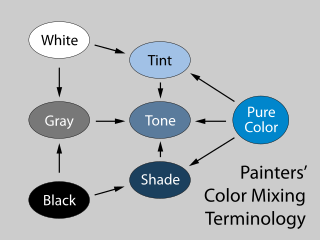
Also, the plugin provides special mixtures such as [tints, shades, and tones](https://en.wikipedia.org/wiki/Tints_and_shades):
```js
const color = colord("#ff0000");
color.tints(3).map((c) => c.toHex()); // ["#ff0000", "#ff9f80", "#ffffff"];
color.shades(3).map((c) => c.toHex()); // ["#ff0000", "#7a1b0b", "#000000"];
color.tones(3).map((c) => c.toHex()); // ["#ff0000", "#c86147", "#808080"];
```
names (CSS color keywords) 1.45 KB
Provides options to convert a color into a [CSS color keyword](https://developer.mozilla.org/en-US/docs/Web/CSS/color_value#color_keywords) and vice versa.
```js
import { colord, extend } from "colord";
import namesPlugin from "colord/plugins/names";
extend([namesPlugin]);
colord("tomato").toHex(); // "#ff6347"
colord("#00ffff").toName(); // "cyan"
colord("rgba(0, 0, 0, 0)").toName(); // "transparent"
colord("#fe0000").toName(); // undefined (the color is not specified in CSS specs)
colord("#fe0000").toName({ closest: true }); // "red" (closest color)
```
xyz (CIE XYZ color space) 0.7 KB
Adds support of [CIE XYZ](https://www.sttmedia.com/colormodel-xyz) color model. The conversion logic is ported from [CSS Color Module Level 4 Specification](https://www.w3.org/TR/css-color-4/#color-conversion-code).
```js
import { colord, extend } from "colord";
import xyzPlugin from "colord/plugins/xyz";
extend([xyzPlugin]);
colord("#ffffff").toXyz(); // { x: 95.047, y: 100, z: 108.883, a: 1 }
colord({ x: 0, y: 0, z: 0 }).toHex(); // "#000000"
```
## Types
**Colord** is written in strict TypeScript and ships with types in the library itself — no need for any other install. We provide everything you need in one tiny package.
While not only typing its own functions and variables, **Colord** can also help you type yours. Depending on the color space you are using, you can also import and use the type that is associated with it.
```ts
import { RgbColor, RgbaColor, HslColor, HslaColor, HsvColor, HsvaColor } from "colord";
const foo: HslColor = { h: 0, s: 0, l: 0 };
const bar: RgbColor = { r: 0, g: 0, v: 0 }; // ERROR
```